
Case Study: Routing Professional Guitar Audio into Zoom
- Client
- A guitar student taking lessons on Zoom
- Setup
- MOTU M4, VoiceMeeter Banana, Zoom, Windows
- Problem
- His guitar sounded thin and muffled to his teacher, through his webcam mic
- Fix
- Solved an interface routing problem, routed the MOTU M4 into Zoom through VoiceMeeter Banana, and prevented feedback loops
The Challenge
Remote music lessons present unique technical challenges. A dedicated guitar student was frustrated with his online lessons; while his teacher sounded great, his own guitar signal was thin, muffled, and relying entirely on his webcam microphone. He had the right gear—a Windows PC, a multi-effects pedal, and a high-quality MOTU M4 audio interface—but he couldn’t get it working. The PC wasn’t recognising the interface, and the thought of routing his guitar, his voice, and a backing track into a single Zoom call without causing a massive feedback loop was overwhelming. He booked a Full Studio Setup to get it sorted.
What I did
We connected via AnyDesk for secure remote access to his Windows PC, alongside a voice call so I could guide him through the physical setup while I handled the digital routing.
- Solving the Hardware Mystery: The first hurdle was the MOTU M4 not connecting to the PC. The interface’s display showed no sample rate or buffer size, and the PC wasn’t recognising it. After checking his drivers and firmware, I traced it to a USB power issue. He had plugged it into a front-panel USB port on his PC tower, which often fails to deliver sufficient, stable power to professional audio gear. We simply switched the cable to a direct motherboard port on the back of the PC, and the MOTU M4 instantly came to life.
- Deploying a Virtual Mixer: To mix his guitar, microphone, and Spotify backing tracks into Zoom, we needed to route the audio internally. I installed and configured VoiceMeeter Banana, a powerful (but notoriously confusing) virtual mixer for Windows.
- Preventing Feedback Loops: The biggest danger in Zoom routing is the teacher’s voice feeding back into the student’s microphone. I configured VoiceMeeter’s internal busses to split the audio: we sent the Guitar, Mic, and Backing Track to Bus B1 (which fed into Zoom for the teacher to hear), while the Zoom Return (the teacher’s voice) was routed strictly to Bus A1 (the student’s headphones).
- Mono Inputs: I pressed the “Mono” button on his hardware input strip to ensure his guitar and microphone inputs were merged and heard equally in both ears, rather than panned hard left or right.
- Empowering the Client: VoiceMeeter has a lot of moving parts. To ensure he wouldn’t be left stranded if he accidentally clicked the wrong button before a lesson, I wrote up a customised, step-by-step cheat sheet explaining exactly what every button in his specific setup did.
The Result
We ran a full test call to confirm the routing. The teacher could now clearly hear the student’s guitar, voice and backing track together. Simultaneously, the student had a clean headphone mix with no feedback. By solving both the physical hardware power issue and the complex digital routing, the client was left completely self-sufficient and ready to focus on his playing, not his settings.
Client feedback
The client was thrilled to have his complex routing issues resolved and left this detailed review of our session:
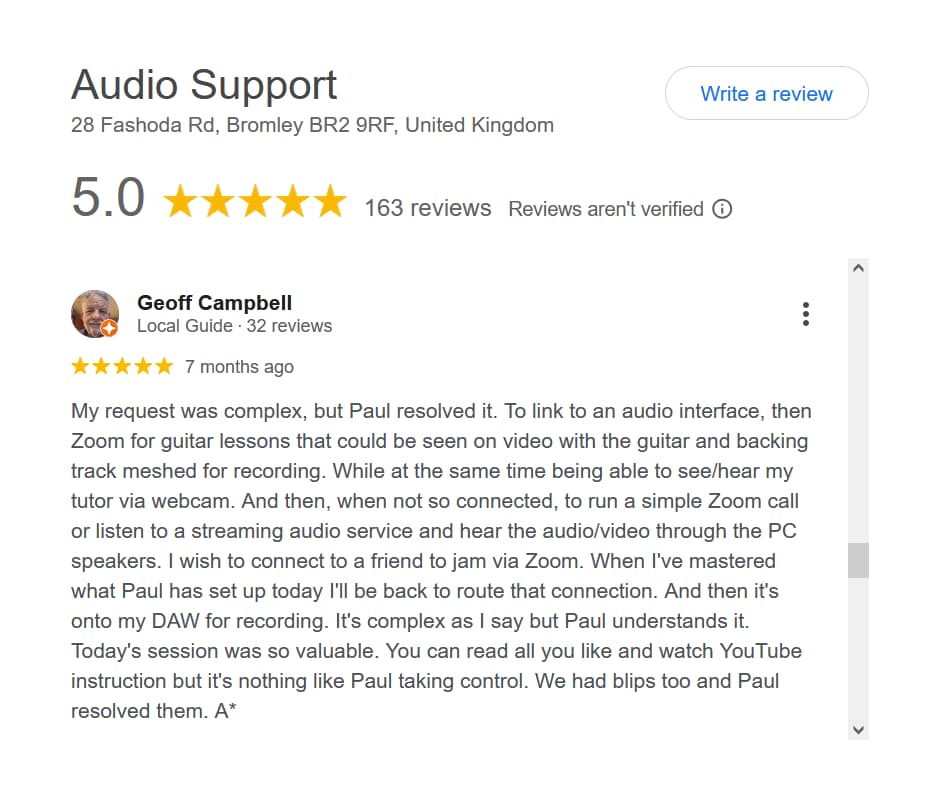
“My request was complex, but Paul resolved it. To link to an audio interface, then Zoom for guitar lessons that could be seen on video with the guitar and backing track meshed for recording. While at the same time being able to see/hear my tutor via webcam. And then, when not so connected, to run a simple Zoom call or listen to a streaming audio service and hear the audio/video through the PC speakers. I wish to connect to a friend to jam via Zoom. When I’ve mastered what Paul has set up today I’ll be back to route that connection. And then it’s onto my DAW for recording. It’s complex as I say but Paul understands it. Today’s session was so valuable. You can read all you like and watch YouTube instruction but it’s nothing like Paul taking control. We had blips too and Paul resolved them. A*”
This article was originally published as a field case study on my sister site, Audio Support, and has been adapted for Amazing Audio.
Got a problem like this?
Send me a short clip and tell me what’s going on. I’ll reply in writing by the next UK working day, and it’s free.
Get a free diagnosis